
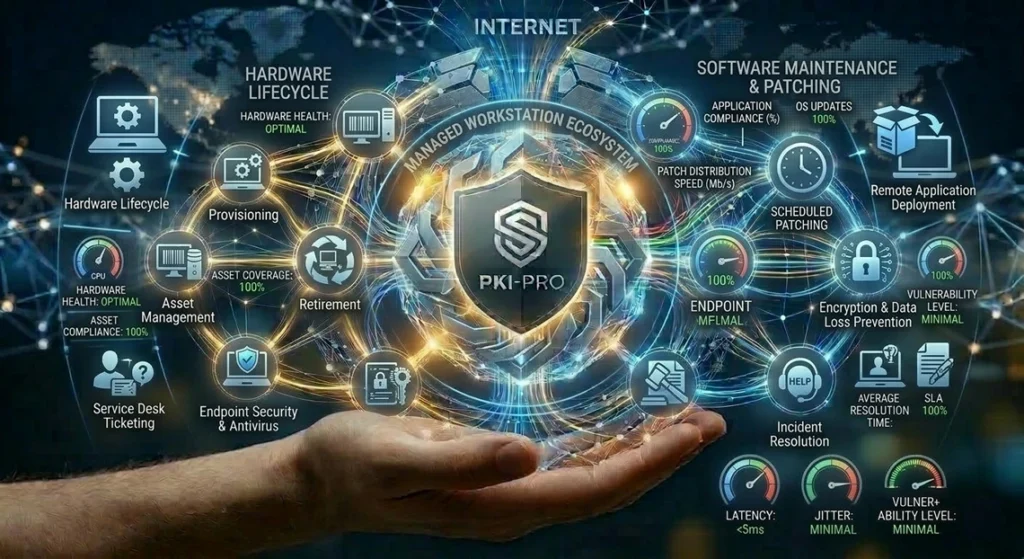
Manage Workstations
It is a comprehensive model in which an IT service provider (such as an internal department or an external company) takes responsibility for the management, security, and maintenance of the computers of an organization’s end users. The goal is to provide a predictable, secure, and optimized work environment, freeing users from complex technical tasks.
📋 What Does the Service Cover?
The scope of a managed workstation service is very broad and covers the entire lifecycle of the device. It can be structured into the following key areas:
- Hardware Lifecycle Management: The service includes the evaluation, procurement, installation, and initial configuration of the equipment (whether Windows, macOS, or Linux) . Once in operation, inventory tracking is performed, and repair and warranty processes are managed . At the end of its useful life, the replacement or decommissioning of the equipment is also covered .
- Software Maintenance and Patching: This is one of the most critical functions. The provider is responsible for the installation and ongoing updating of the operating system and standard applications (such as office suites or antivirus software) . This is carried out through a centralized patch management system, especially for security patches, which are applied periodically (e.g., monthly) to protect machines against vulnerabilities .
- Security and Compliance: Security is a fundamental pillar. The service implements proactive measures such as the installation and configuration of antivirus/anti-malware software, hard drive encryption (especially on laptops), and the enforcement of corporate security policies . In the event that a device is compromised, the service can restore it to a safe state by re-imaging the drive .
- Technical Support (Service Desk): Users have access to a centralized service desk or help desk to report incidents or request assistance . Support can be provided remotely, and in complete management models, on-site support is also available if necessary .
- Infrastructure and Connectivity: Management also covers the integration of the workstation with corporate network services. This includes configuration for connection to the organization’s domain (like Active Directory) , access to storage servers (for backups and personal files), and printer management .
⚙️ How Does It Work Technically?
The technical operation is based on automation and centralized control to ensure consistency and security. Here are the key mechanisms:
- Standardized Image and Provisioning: Instead of configuring each computer manually, the service uses a master operating system image that includes all the base configuration and necessary software . This image is automatically deployed to new equipment over the network, ensuring that all workstations start with an identical and approved configuration .
- Centralized Policy-Based Management: Administrators use tools like Microsoft Endpoint Configuration Manager (SCCM), Microsoft Intune, or similar Mobile Device Management (MDM) solutions . Through these central consoles, policies are defined and automatically applied to all managed devices. This includes:
- Firewall and security settings.
- Software restrictions or whitelists of allowed applications .
- User permission management, where users generally do not have local administrator rights to enhance security .
- Automated Patching and Updates: Centralized management tools allow for the scheduling of automatic maintenance windows. For example, devices can receive and install the latest security patches overnight or on weekends and automatically restart outside of business hours to avoid interrupting the user .
- Monitoring and Alerts: The service continuously monitors the health and performance of managed devices . Metrics such as CPU usage, memory, disk space, and backup status are tracked. If a device shows signs of imminent failure or does not comply with security policies (e.g., has outdated antivirus software), the monitoring system can generate an alert for technicians to intervene proactively before the user notices the issue .
In summary, the “Managed Workstations” service transforms an organization’s computer management from a reactive and manual model to a proactive, automated, and secure one. The provider becomes the “pilot” who ensures the proper functioning of the entire fleet of devices.