
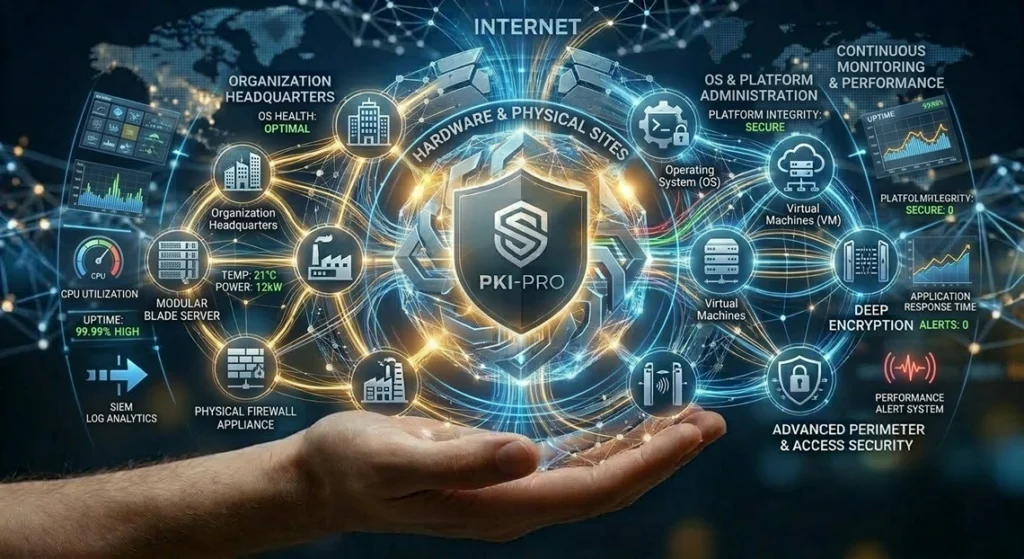
Manage Servers
This service transfers the responsibility for the administration, monitoring, and maintenance of an organization’s servers (whether physical, virtual, or in the cloud) to a specialized provider. The goal is to guarantee maximum availability, performance, security, and continuity for business-critical applications and data.
🖥️ What Does the Service Cover?
The managed servers service covers everything necessary for the server infrastructure to operate efficiently and securely.
- Operating System and Platform Administration: The provider handles the installation, initial configuration, and ongoing application of patches and updates for the operating system (Windows Server, Linux distributions, etc.). For cloud servers, this may also include managing the underlying platform (such as virtual machines on AWS, Azure, or Google Cloud).
- Hardware Management (if applicable): For physical (on-premise) servers, the service includes hardware maintenance, warranty management, and the replacement of failed components (hard drives, power supplies, RAM).
- Continuous Monitoring and Performance Management: Servers are monitored 24/7 to track vital metrics such as CPU usage, memory, disk space, disk I/O, and network latency. This allows for the detection and resolution of performance issues before they impact users.
- Security and Compliance Management: Security measures are implemented, such as configuring host-based firewalls, Host-based Intrusion Detection Systems (HIDS), and vulnerability scanning. It also ensures that servers comply with relevant security standards and regulations (e.g., GDPR, HIPAA).
- Backup and Disaster Recovery: The provider configures and manages automatic data and configuration backups for the servers. This includes defining retention policies and periodically performing restoration tests to guarantee that information can be recovered in the event of a disaster (accidental deletion, cyberattack, major failure).
- Specialized Technical Support: The organization’s system administrators or developers have a point of contact for complex requests, such as installing specific software, configuring services (like DNS, DHCP, Active Directory, databases), or resolving system-level incidents.
⚙️ How Does It Work Technically?
The operation is based on automation, centralization, and secure access to maintain the stability and security of the server environment.
- Centralized Administration Consoles: The provider’s administrators use centralized tools (such as Microsoft System Center, VMware vCenter, or the native consoles of cloud providers) to manage all servers from a single dashboard. Through these consoles, they can:
- Rapidly provision new servers using pre-configured templates or images.
- Apply security configurations and policies consistently across the entire server fleet.
- Orchestrate software updates and patches.
- Automated Patching and Updates: Scheduled maintenance windows are defined. During these windows, the provider automatically deploys the latest security patches and updates for the operating system and critical applications, minimizing business impact and protecting against known vulnerabilities.
- Proactive Monitoring and Alerts: Software agents are installed on the servers, or APIs are used to collect performance metrics and event logs. This data is sent to a central monitoring platform that analyzes the health status. If an anomaly is detected (e.g., a service stopping, a disk filling up, high CPU usage), the system generates an automatic alert so the provider’s team can intervene proactively, often before the problem becomes noticeable.
- Hardening and Layered Security: During initial configuration, the provider applies operating system “hardening” guides. This involves disabling unnecessary services, configuring file permissions securely, and applying recommended security settings. Additionally, vulnerability scanning tools are used to identify and remediate potential weak points on an ongoing basis.
- Backup and DR Automation: Backup policies are configured to define what is backed up, how often, and where it is stored (e.g., on another server, on tape, or in the cloud). The backup process is fully automated. For disaster recovery, real-time replication mechanisms can be set up to a secondary site or the cloud, allowing for rapid failover in case the primary server fails.
In summary, the “Managed Servers” service transforms server management from a reactive, maintenance task into a proactive and strategic approach. The provider acts as the guardian of the core infrastructure, ensuring that critical applications are always available, secure, and performing optimally, allowing the organization to focus on its core business.